
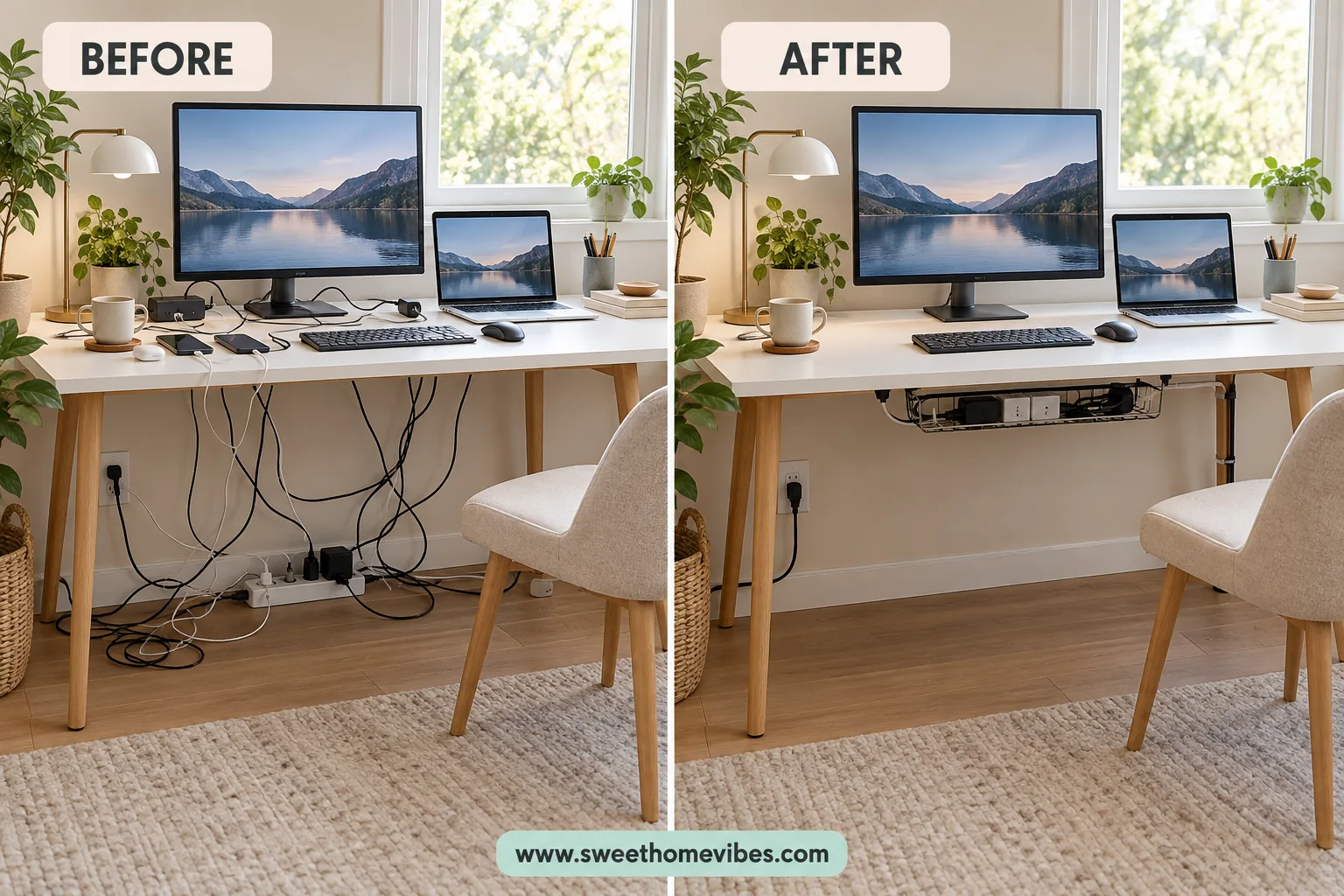
Wondering how to hide desk cables without drilling holes in your furniture? Loose computer wires, tangled charging cords, and bulky adapters can make even an organized desktop feel messy. These ten fixes help you tidy the wiring while keeping plugs accessible, whether you rent or have a small home workspace.
Cable organization isn’t only about appearance. According to the U.S. Fire Administration, an estimated 24,200 residential electrical fires were reported in the United States in 2021, highlighting the importance of proper electrical safety. Learning how to hide cables under a desk can help you arrange your wires neatly while keeping connections accessible and protected from damage.
Table of Contents
Before You Start: Sort Your Desk Cables and Plan Their Route
Before purchasing cable organizers, examine the wires connected to your computer, monitor, charging devices, and other accessories. Identify which cables remain connected throughout the day and which ones you frequently unplug. This distinction will help you decide what should stay concealed and what should remain within reach.
Unplug your equipment safely before rearranging the wiring, and inspect the cords for visible damage. Decide where your power strip and excess cable length should be positioned, then check the desk’s underside for available mounting space. Pay attention to the desktop thickness, surface finish, supporting frame, and clearance around your legs.
The goal is to create one organized route for compatible cables rather than trying to conceal every wire individually. Arrange cables that travel in the same direction together, allowing sufficient slack for monitor adjustments and moving furniture. Standing desks require additional cable length so the connections aren’t stretched when the desktop changes height.
Desk dimensions can influence where you position organizers, especially when space underneath is limited. If you’re considering rearranging your furniture, the Desk and Workspace Size Planner can help you assess desk dimensions and available space. This is particularly useful when choosing cable routes that won’t interfere with your chair or everyday movement.
10 Simple Ways to Hide Desk Cables Without Drilling
The right cable management method depends on the number of devices connected to your desk and where the wires are visible. Some accessories conceal several cables underneath the desktop, whereas others guide individual cords behind furniture or prevent charging wires from falling onto the floor. The following ten methods offer affordable options without requiring permanent changes.
1. Install a Clamp-On Cable Tray Under Your Desk
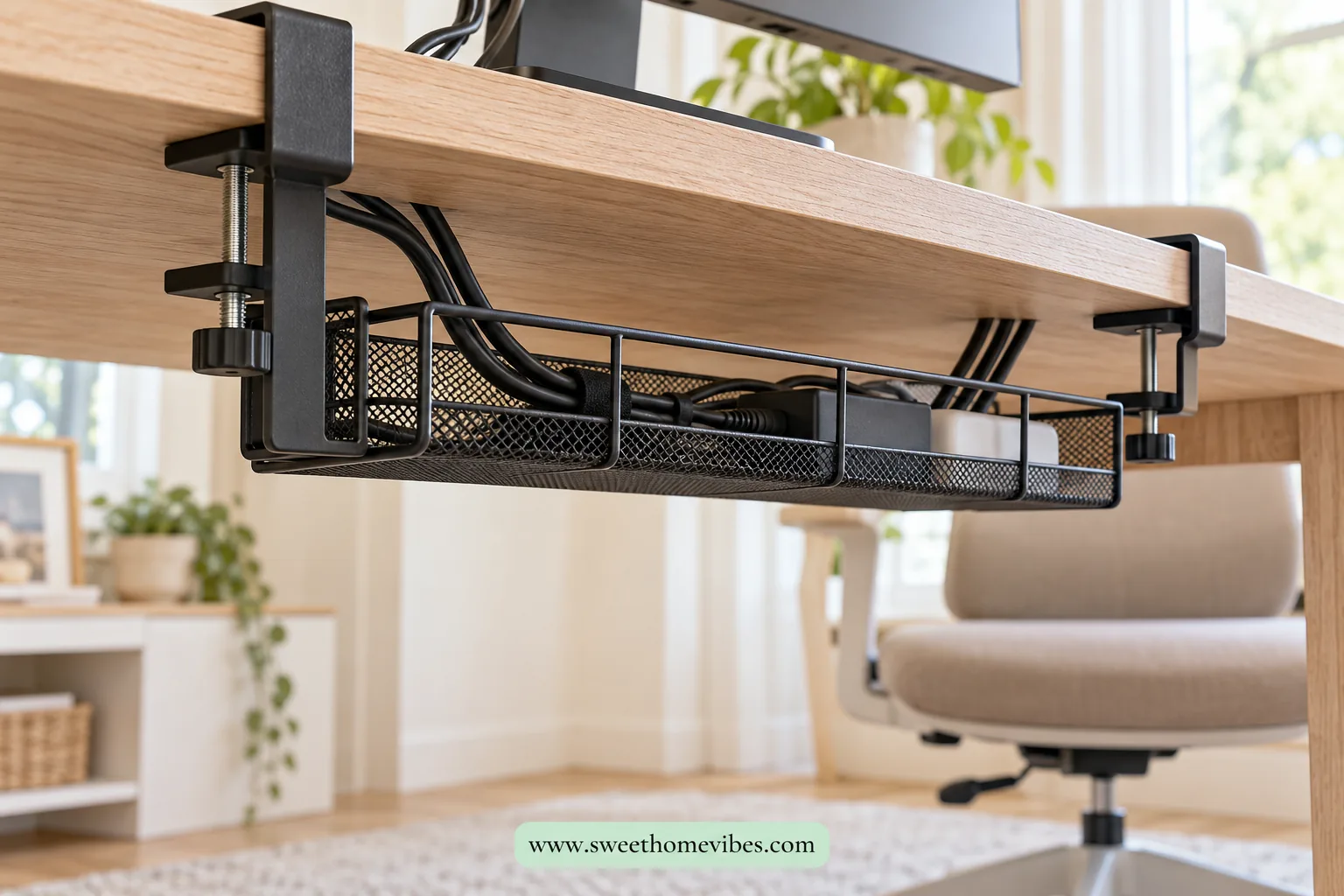
A clamp-on cable tray is particularly useful when several computer cables hang beneath your desktop. It attaches to the rear or side edge using adjustable clamps instead of screws, creating a designated place for loose wires and compatible accessories. Since the tray sits underneath the desk, most of the wiring remains hidden from normal view.
Measure your desktop thickness before purchasing a tray, and check the clamp’s supported range. Position the tray along an accessible edge, then tighten the clamps according to the manufacturer’s instructions. Arrange cables inside without overcrowding the tray or placing excessive weight on its mounting points.
Some trays accommodate compatible power strips and lightweight adapters, although their weight limits and ventilation requirements must be checked. Choose a position that allows you to access connections when necessary without disturbing the entire arrangement. Open-frame trays can be useful where electrical equipment requires unrestricted airflow.
Black Clamp-On Cable Tray
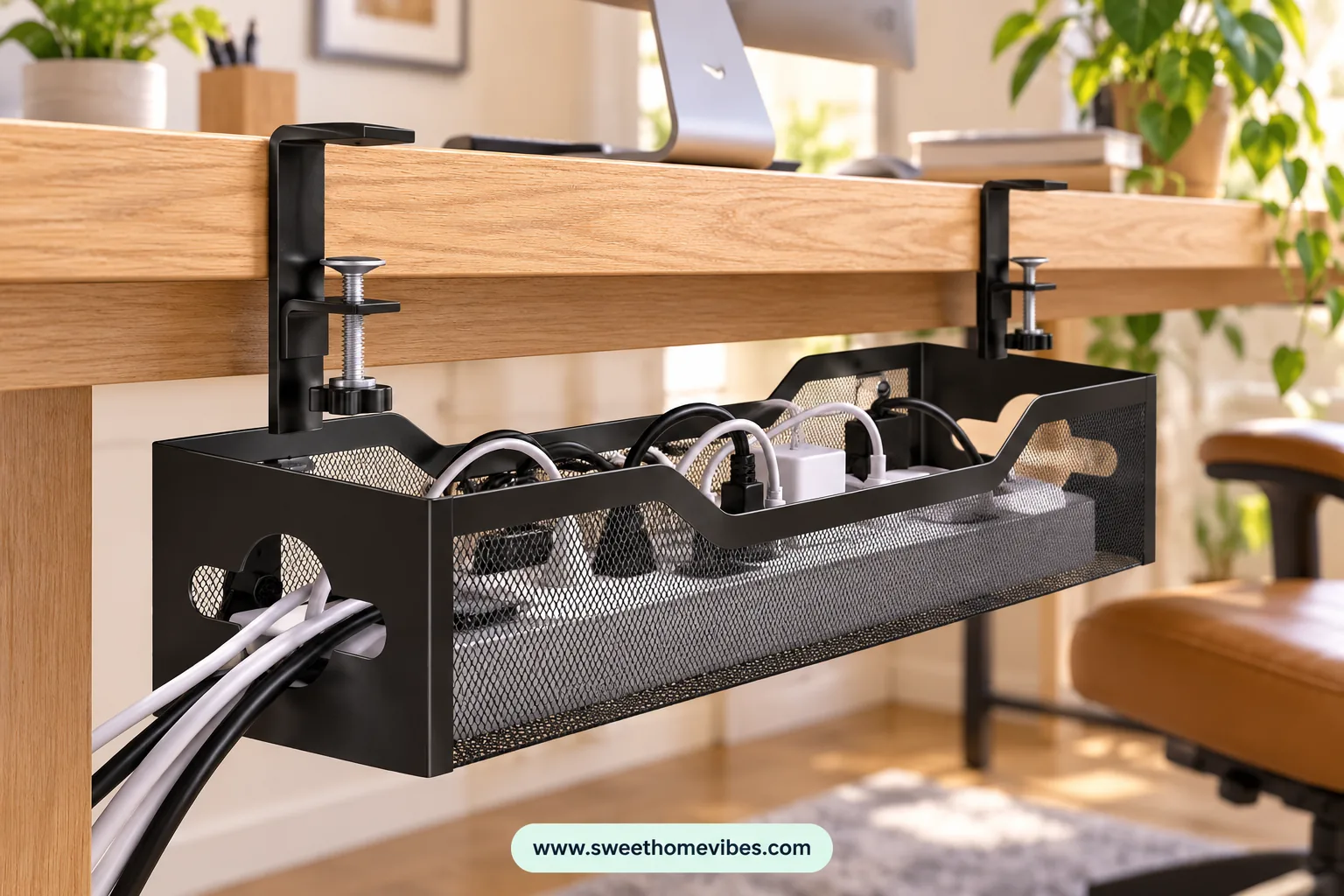
5K+ bought in past month (supplied screenshot)See Product Details
2. Keep Loose Wires in Place With Removable Cable Clips
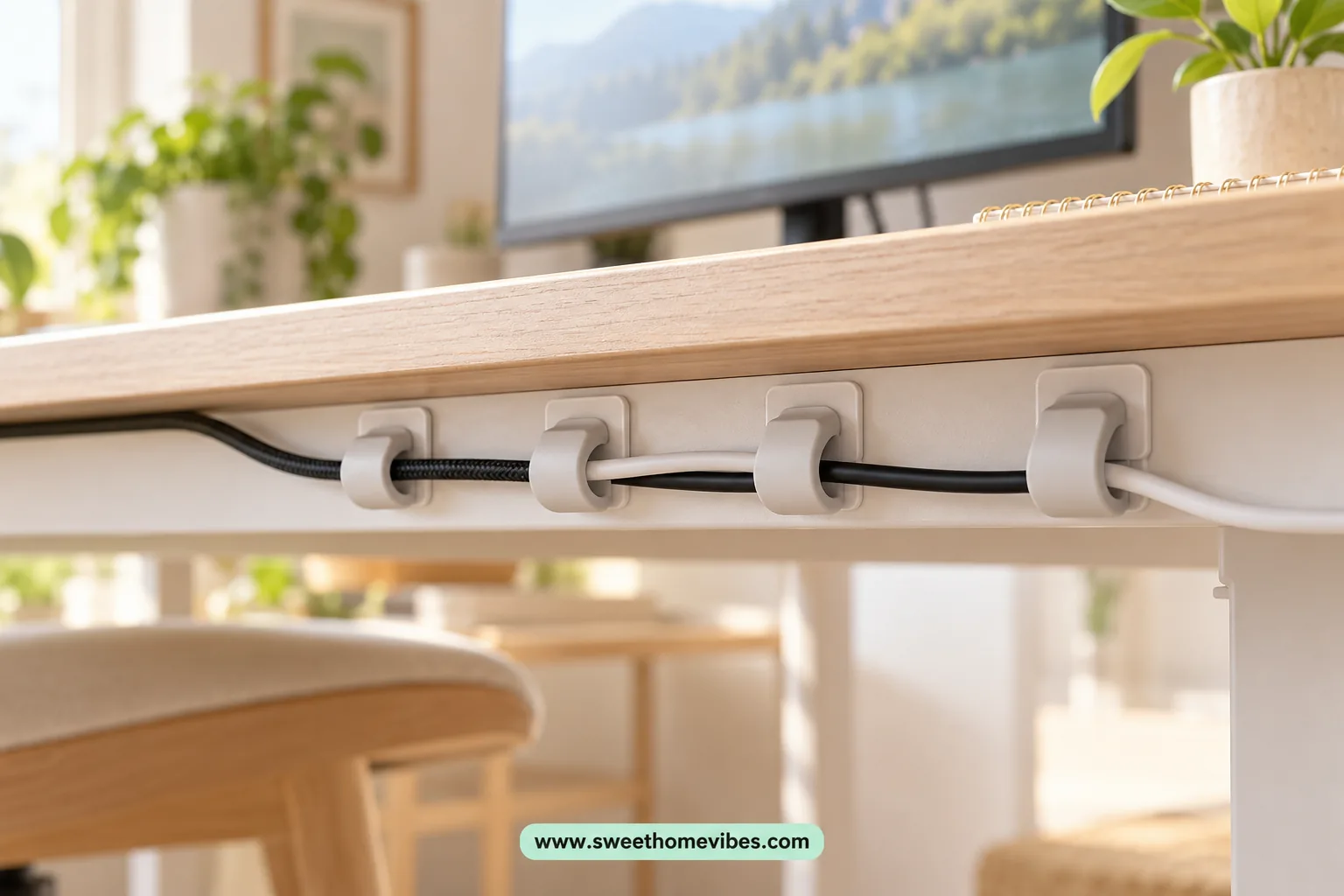
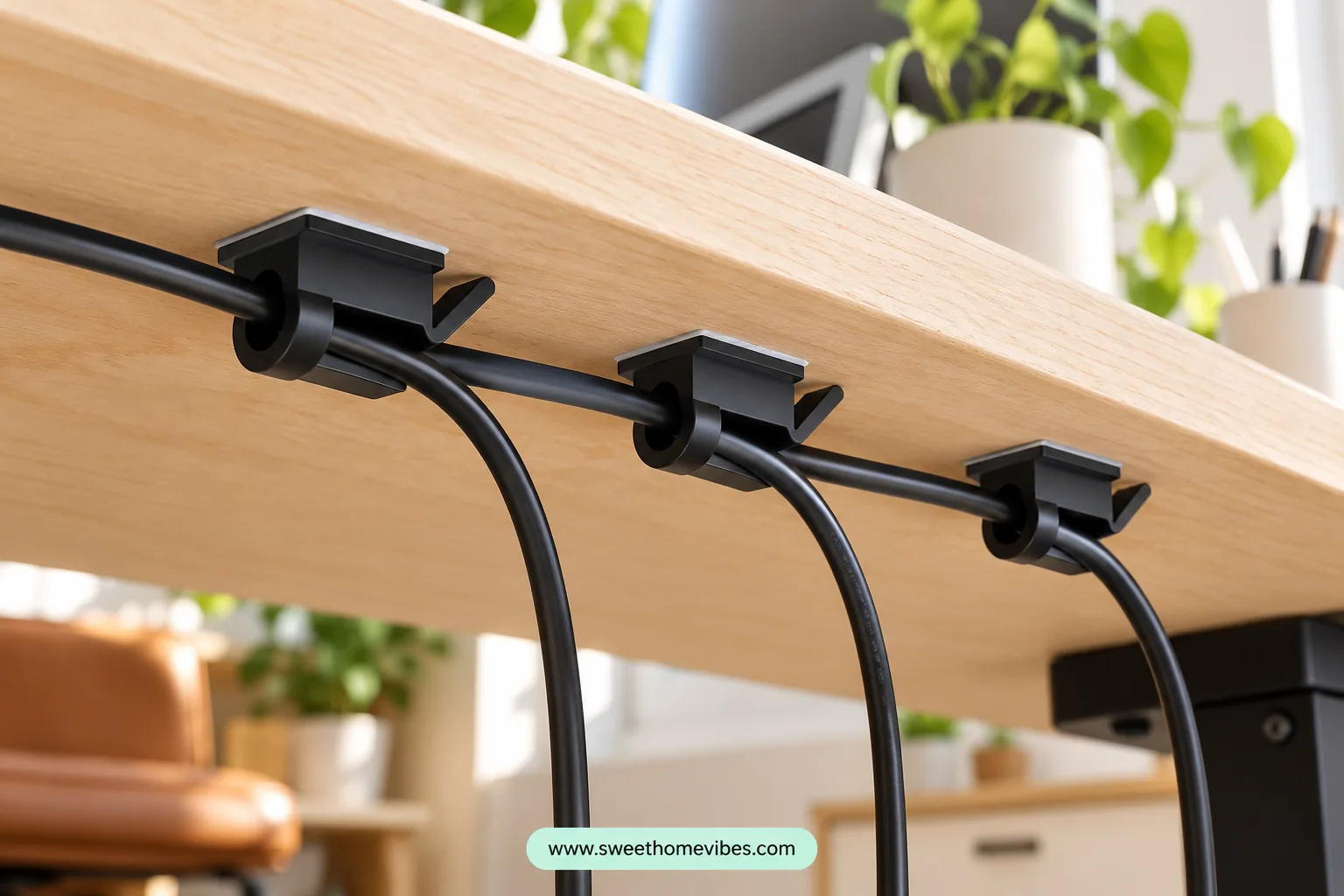
Adhesive cable clips are useful when individual wires hang behind your monitor or underneath the desktop. These small holders guide lightweight cables along a designated route, preventing them from dangling into your legroom. They are particularly suitable for USB cords, monitor connections, and lightweight charging cables.
Choose clips that match the diameter of your wires and are compatible with the desk surface. Clean the mounting area according to the adhesive manufacturer’s directions, then position the clips along the rear or underside of your furniture. Follow the recommended installation and curing instructions before securing the cables.
Adhesive products aren’t guaranteed to come off without affecting the furniture finish. Certain wooden surfaces and delicate coatings may develop marks or lose their finish during removal. Test an inconspicuous area and review the manufacturer’s removal instructions before installation.
Black Adhesive Cable Clips
1K+ bought in past month (supplied screenshot)See Product Details
3. Bundle Extra Cable Length With Reusable Cable Ties
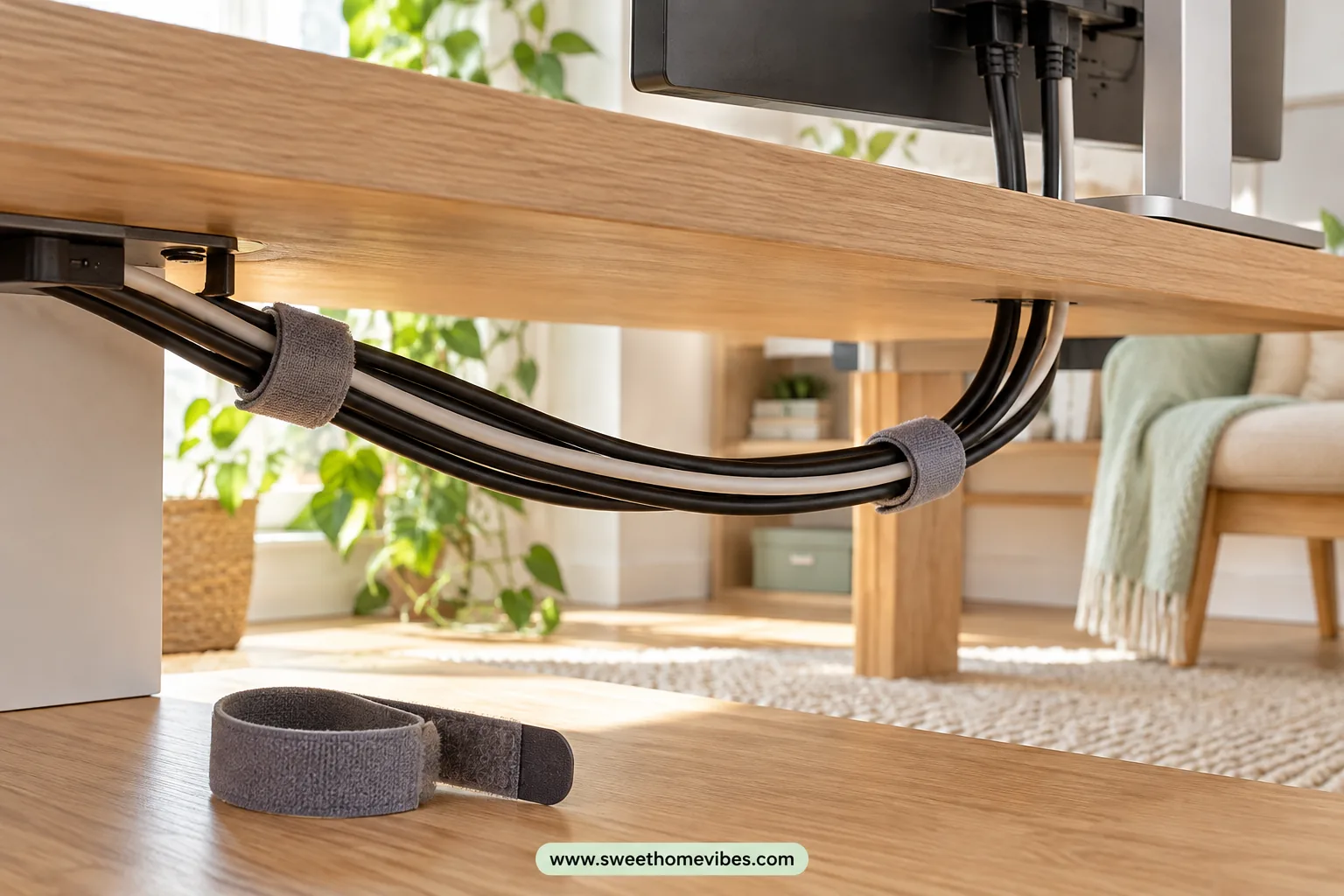
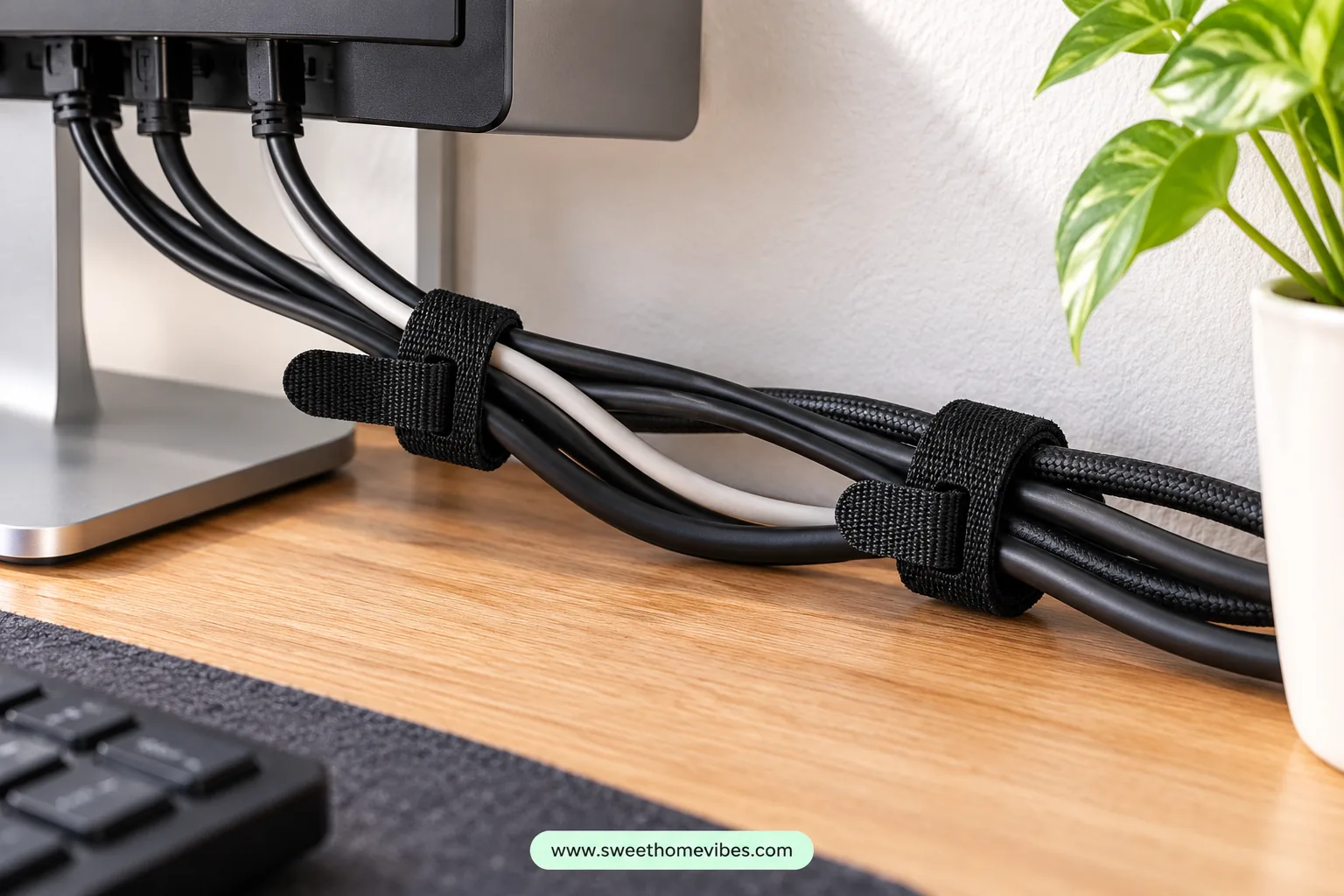
Long cables can become tangled underneath a computer desk, especially when several devices connect to the same area. Reusable hook-and-loop cable ties help organize loose wiring without attaching anything permanently to the furniture. They’re inexpensive and can be opened whenever you need to disconnect equipment.
Gather compatible cables that follow the same route, then loosely secure them at suitable intervals. Arrange spare cable length in relaxed loops rather than forcing it into tight bends or tightly wound coils. Avoid compressing power cords or bundling them in ways that could trap heat.
Reusable ties are especially convenient when you regularly rearrange computer accessories. You can identify individual connections and reposition the ties without cutting them. Choose a tie length that accommodates the cable bundle without squeezing the insulation.
Reusable Hook-and-Loop Cable Ties
1K+ bought in past month (supplied screenshot)See Product Details
4. Hide Several Wires Inside a Cable Management Sleeve
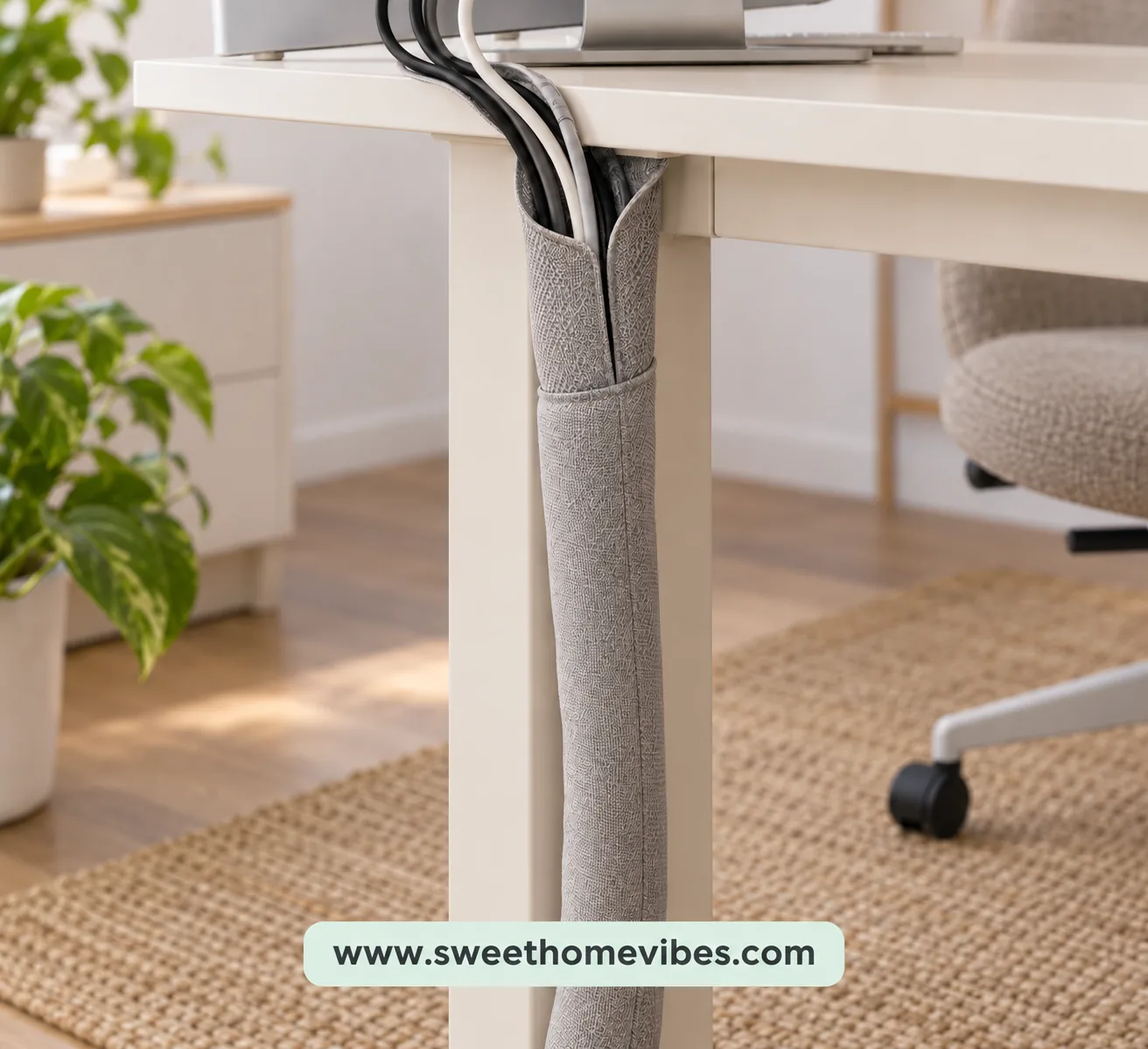
A cable management sleeve gathers several compatible wires inside one flexible covering. Instead of seeing individual cables hanging behind the desk, you’ll have one organized bundle following a designated route. Sleeves are available in wraparound, zippered, and flexible split designs.
Choose a sleeve wide enough to accommodate the cables without squeezing them together. Arrange the wires in the direction they naturally travel, then enclose them according to the sleeve’s instructions. Position the covered bundle behind a desk leg or along the rear of the furniture where it attracts less attention.
Check that connectors remain accessible and the sleeve is suitable for the cables inside. The covering should not interfere with equipment ventilation or prevent inspection of electrical cords. A sleeve improves cable appearance, but safe positioning remains important.
White Split Cable Sleeve
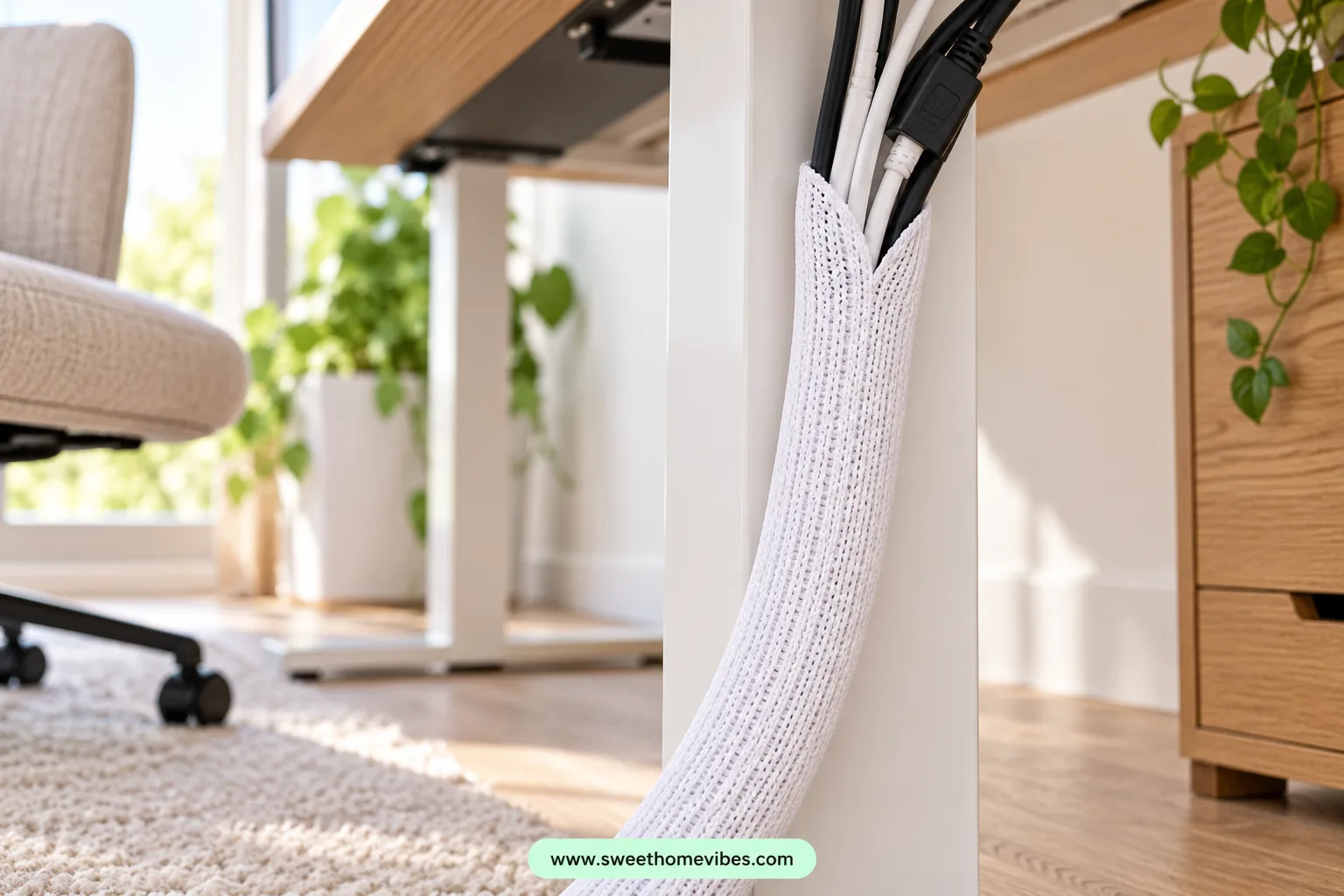
4K+ bought in past month (supplied screenshot)See Product Details
5. Conceal Power Strips With a Ventilated Cable Management Box
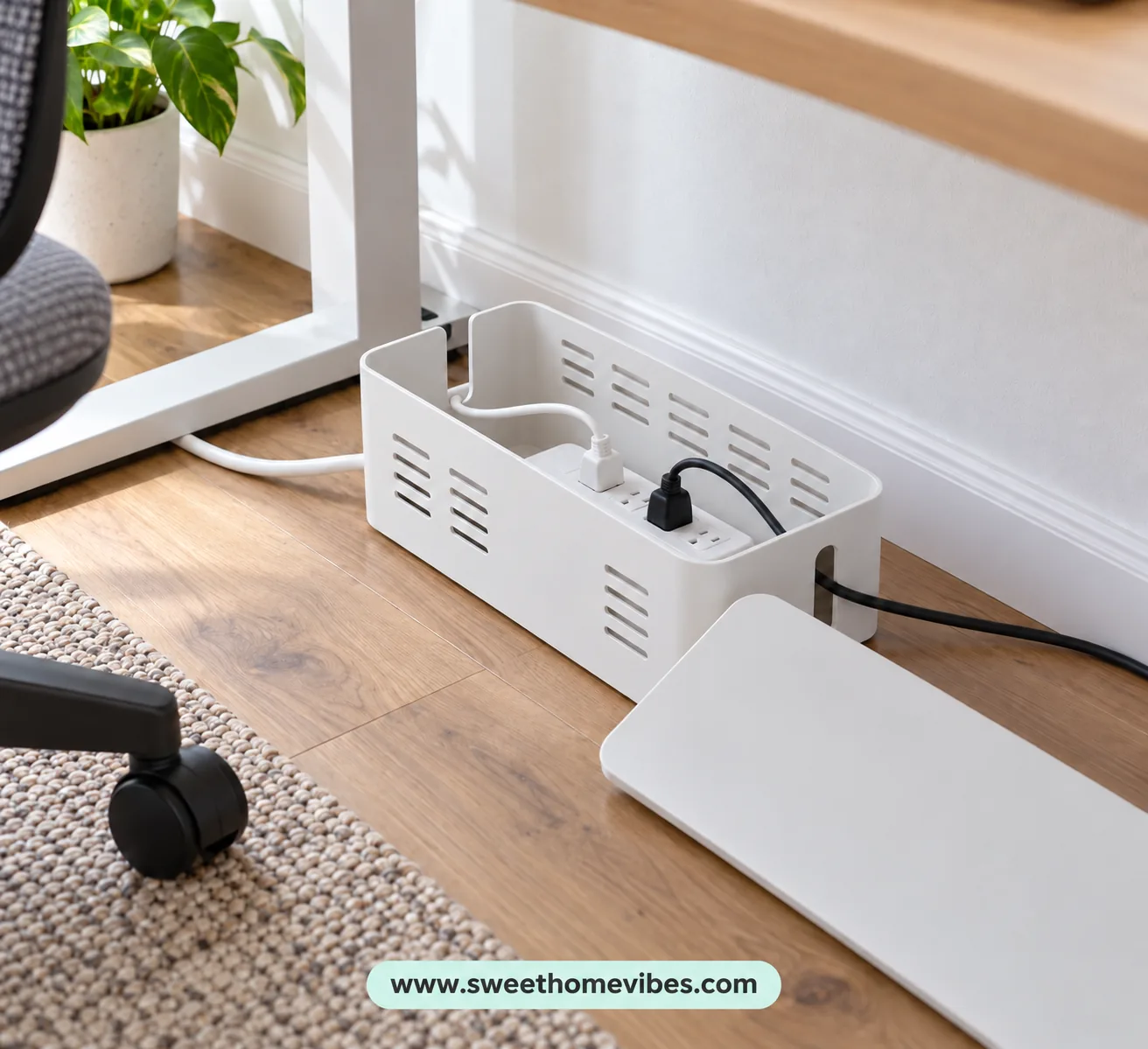
A visible power strip can make an otherwise organized desk look cluttered, especially when multiple plugs extend in different directions. A suitable cable management box can conceal compatible electrical equipment and some excess wiring. However, the box must be appropriate for the equipment, and its use must be permitted by the power strip manufacturer.
Check the box dimensions, cable openings, and ventilation design before purchasing. Position it on a stable surface away from foot traffic, chair wheels, moisture, and heat sources. Arrange the cords so plugs remain accessible and aren’t pressed tightly against the sides.
Never assume that a box is safe simply because it has ventilation openings. Some power strips and adapters require open airflow and should not be enclosed. Follow the electrical equipment manufacturer’s instructions, particularly regarding heat, mounting position, and accessibility.
White Clamp-On Cable Tray
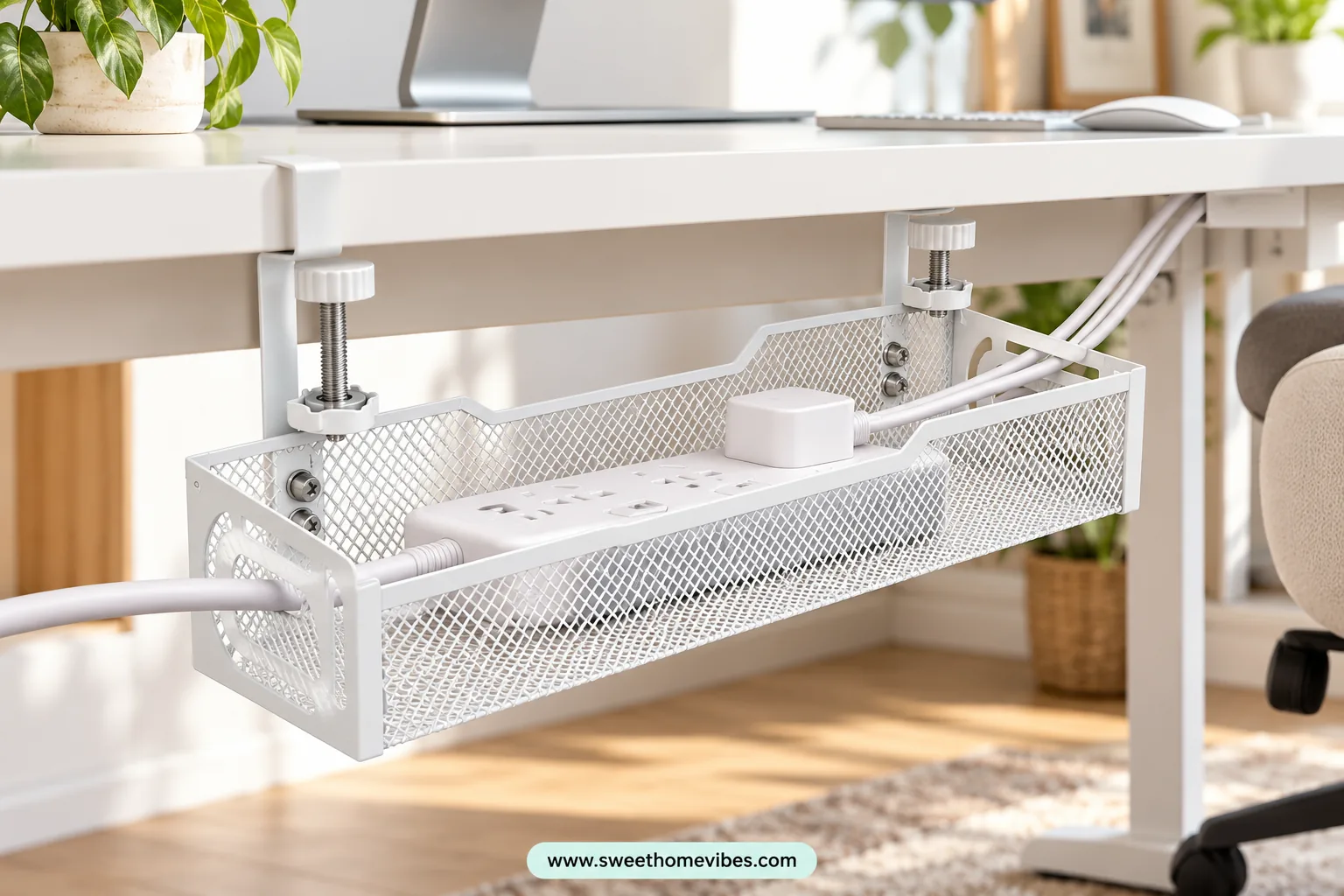
1K+ bought in past month (supplied screenshot)See Product Details
6. Route Cables Along the Back of Your Desk Legs
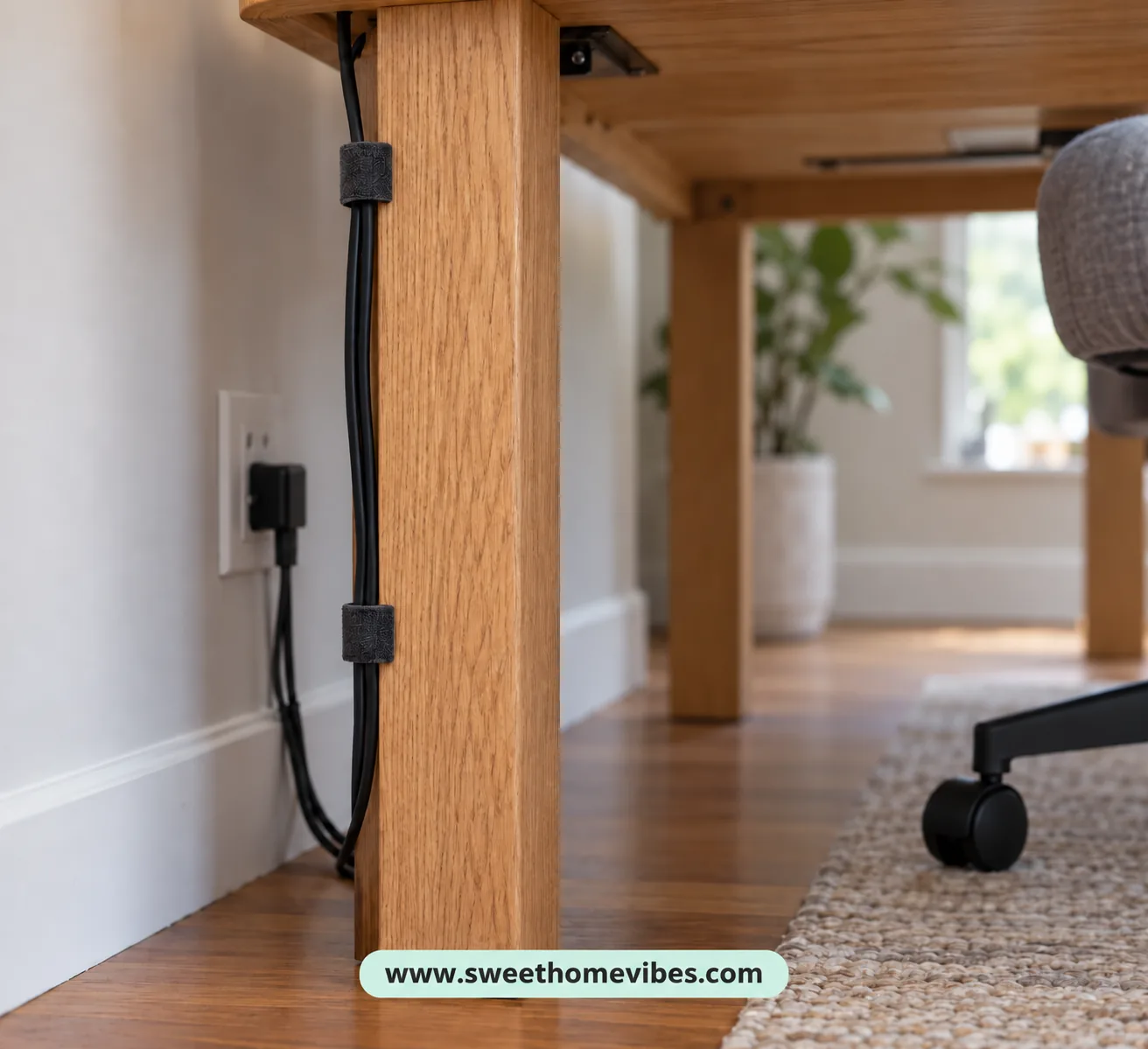
Desk legs can provide a discreet route for cables traveling toward a nearby outlet. This method is especially useful when your desk stands away from the wall and exposed wiring is visible from different angles. The furniture itself helps conceal the cords without requiring holes or permanent fixtures.
Identify the desk leg closest to the intended connection point, then guide the cables down its rear surface. Secure suitable lightweight cables using removable ties or compatible clips, checking that nothing interferes with moving furniture components. Allow sufficient length for the cords to reach their connections without tension.
Once the wires reach the floor, position them away from walking areas and chair wheels. Ordinary electrical cords shouldn’t be hidden beneath rugs or placed where furniture can crush them. Inspect the arrangement occasionally, particularly after moving your desk.
7. Use Adhesive Cable Raceways to Hide Wires Behind the Desk
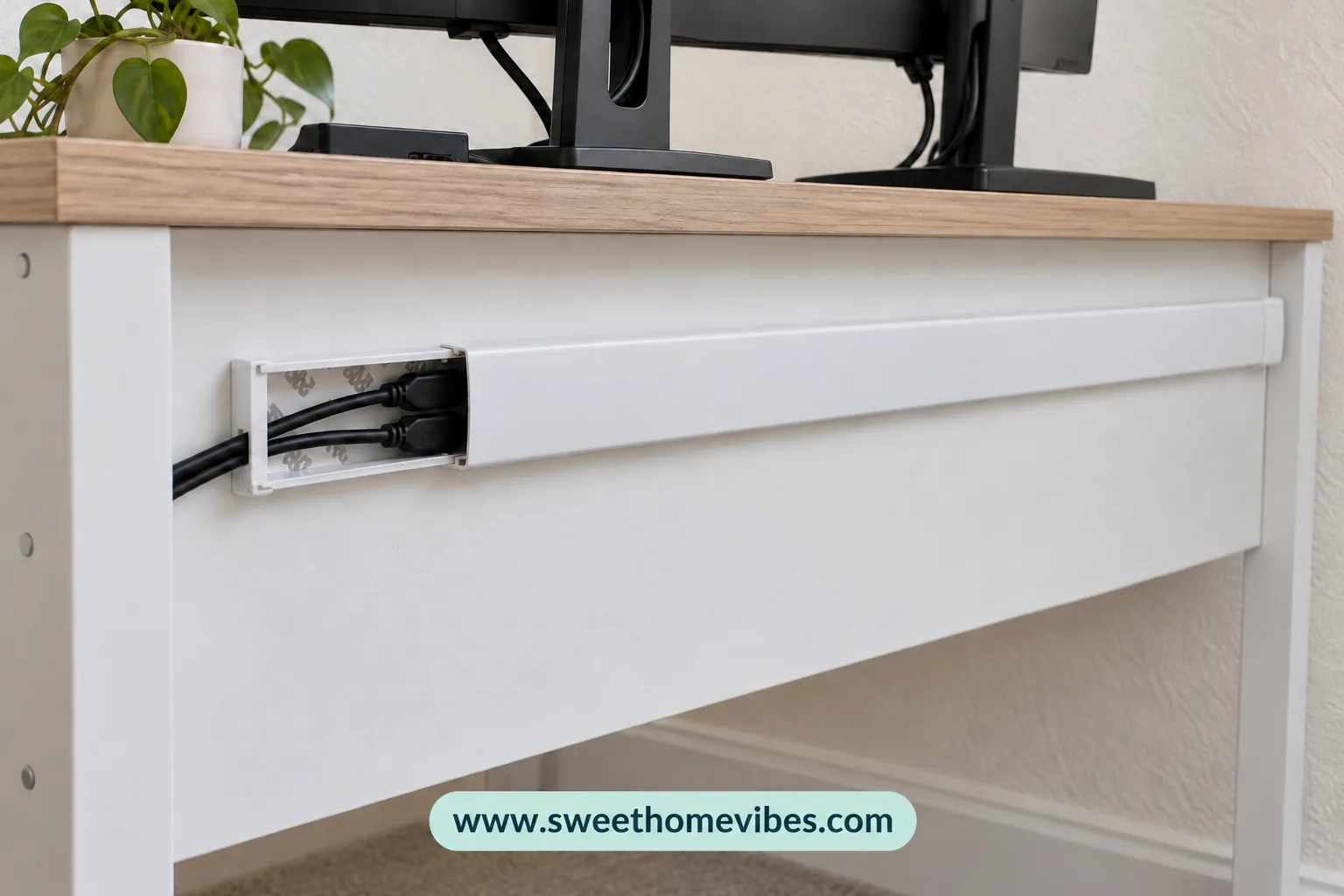
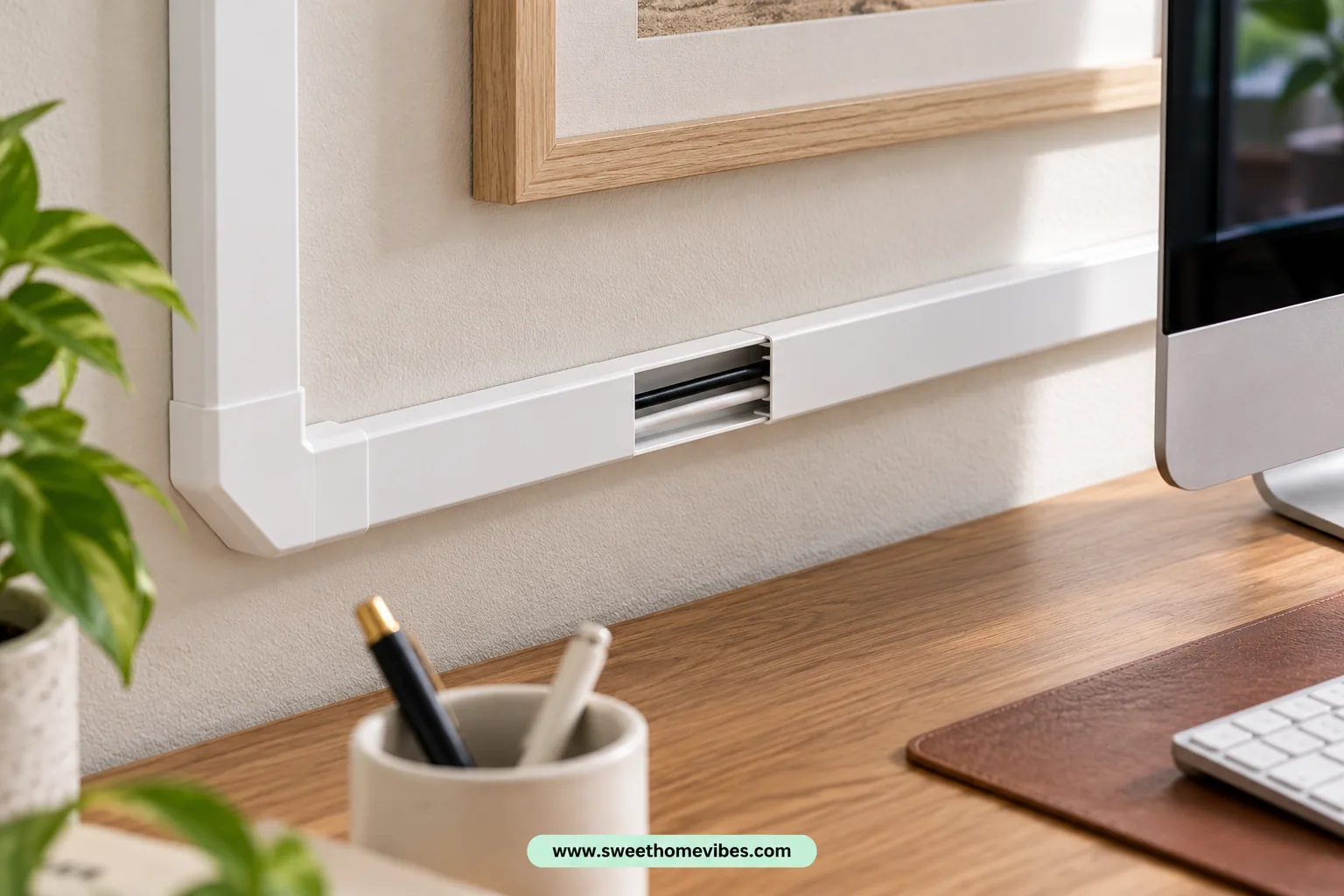
Adhesive cable raceways are narrow channels designed to conceal wires along suitable furniture surfaces or walls. They’re useful when several cables travel along a straight path behind a desk positioned near a wall. The channels provide a tidier appearance without requiring drilled mounting holes.
Measure the intended cable route before selecting a raceway, and check that its interior dimensions accommodate the wires comfortably. Clean the mounting surface according to the adhesive instructions, then attach the channel along your chosen path. Position compatible cables inside and close the cover without forcing the wires into sharp bends.
Some raceways use strong adhesive that may damage paint or furniture finishes during removal. Renters should check surface compatibility and removal instructions before installation. If the finish is delicate, consider desk-mounted alternatives that don’t require adhesive.
White Adhesive Cable Raceway Kit
400+ bought in past month (supplied screenshot)See Product Details
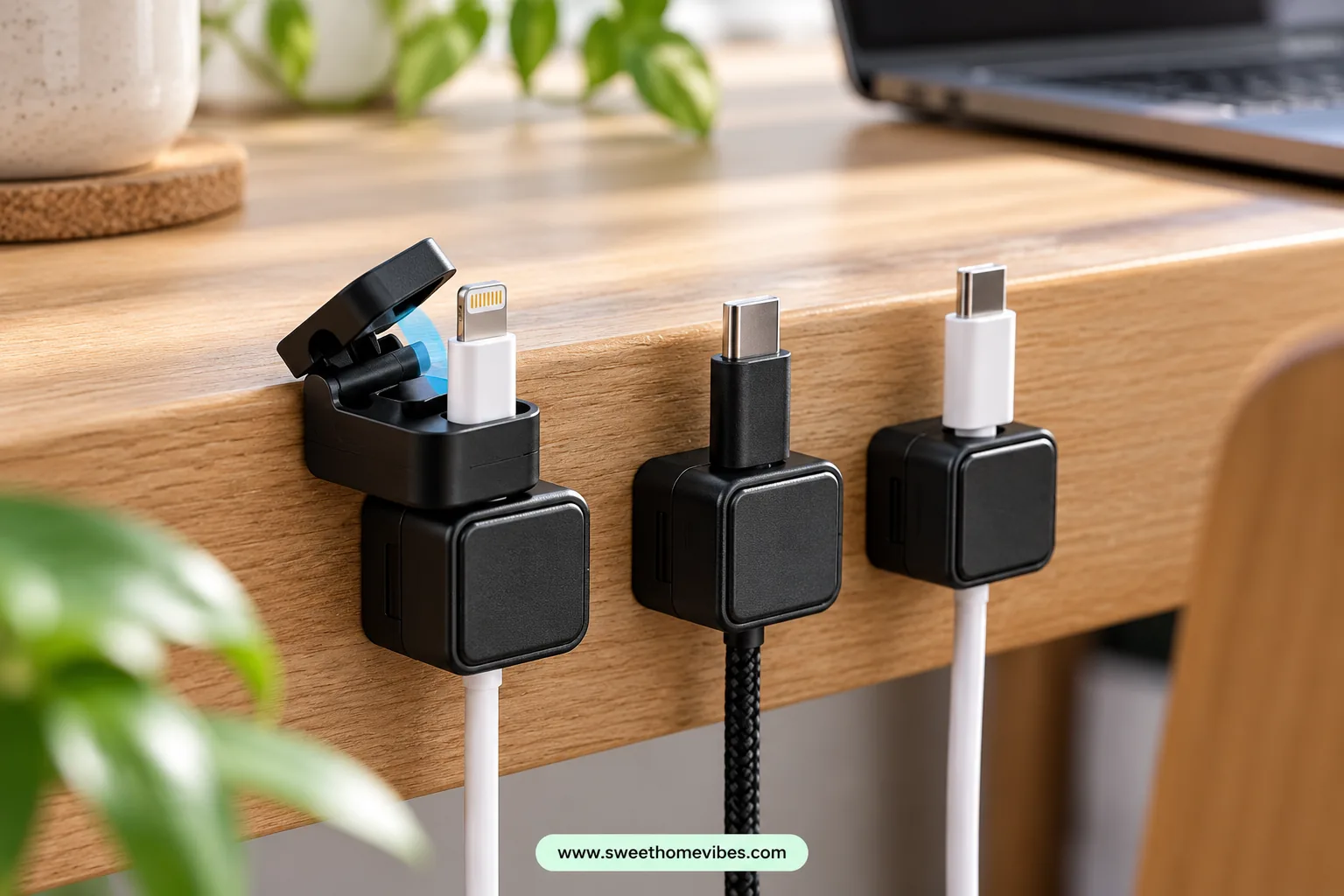
8. Keep Charging Cables Accessible With Magnetic Cable Holders
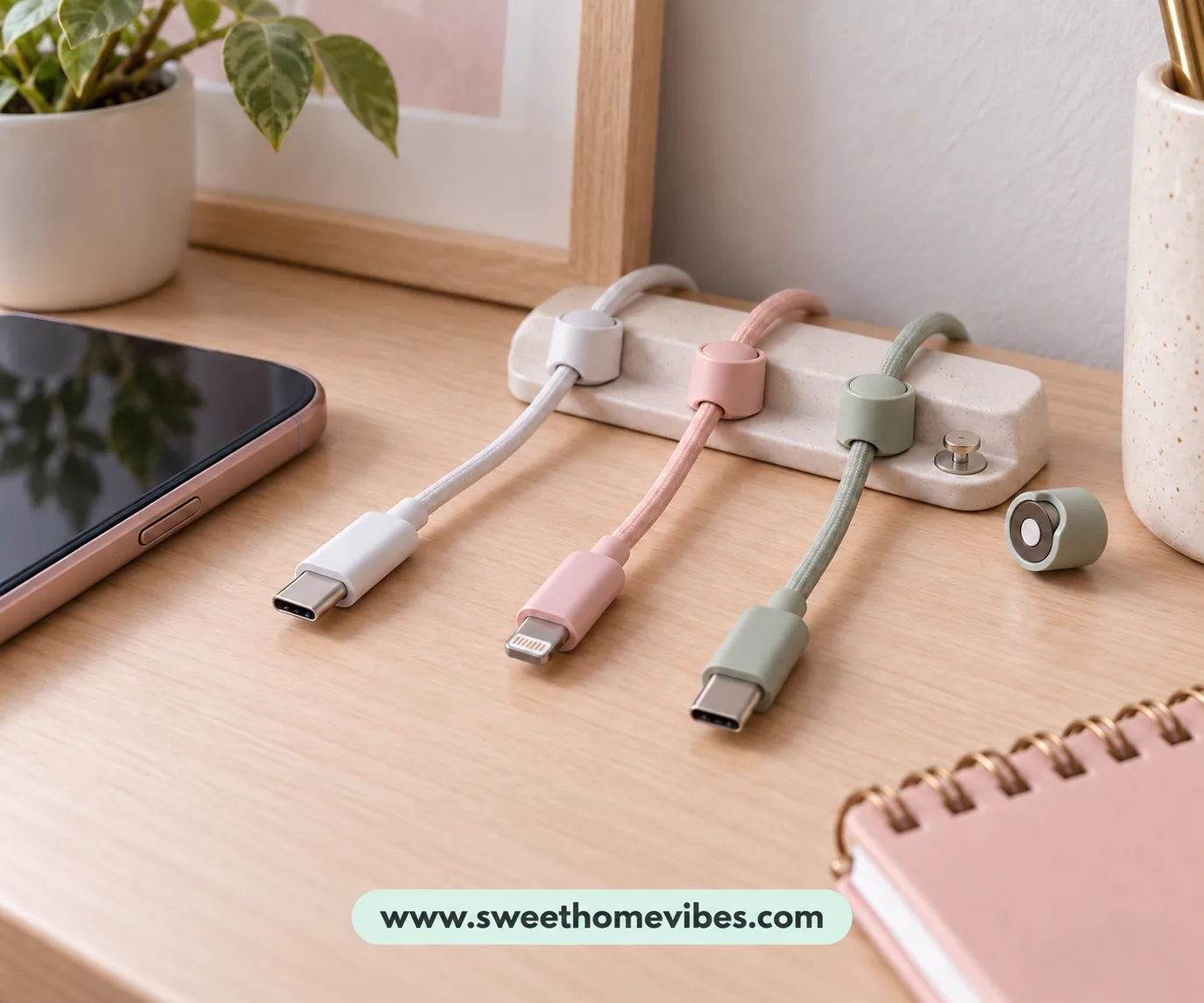
Charging cords can slip behind the desk whenever you disconnect your phone, tablet, or other device. Magnetic cable holders help position compatible lightweight cables near your charging area so the connectors remain within reach. They’re particularly useful when several charging cords share the same section of the desktop.
Choose a holder compatible with your cable thickness and connector design. Position it along the rear or side edge of your desk, close to where you normally charge your devices. Arrange the cables so you can disconnect equipment without stretching or sharply bending the wires.
These holders address visible charging-cord clutter rather than the larger collection of wires underneath the desk. They are most useful alongside another cable management method. A tray or cable sleeve can organize the remaining wiring out of sight.
Magnetic Charging Cable Holders
3K+ bought in past month (supplied screenshot)See Product Details
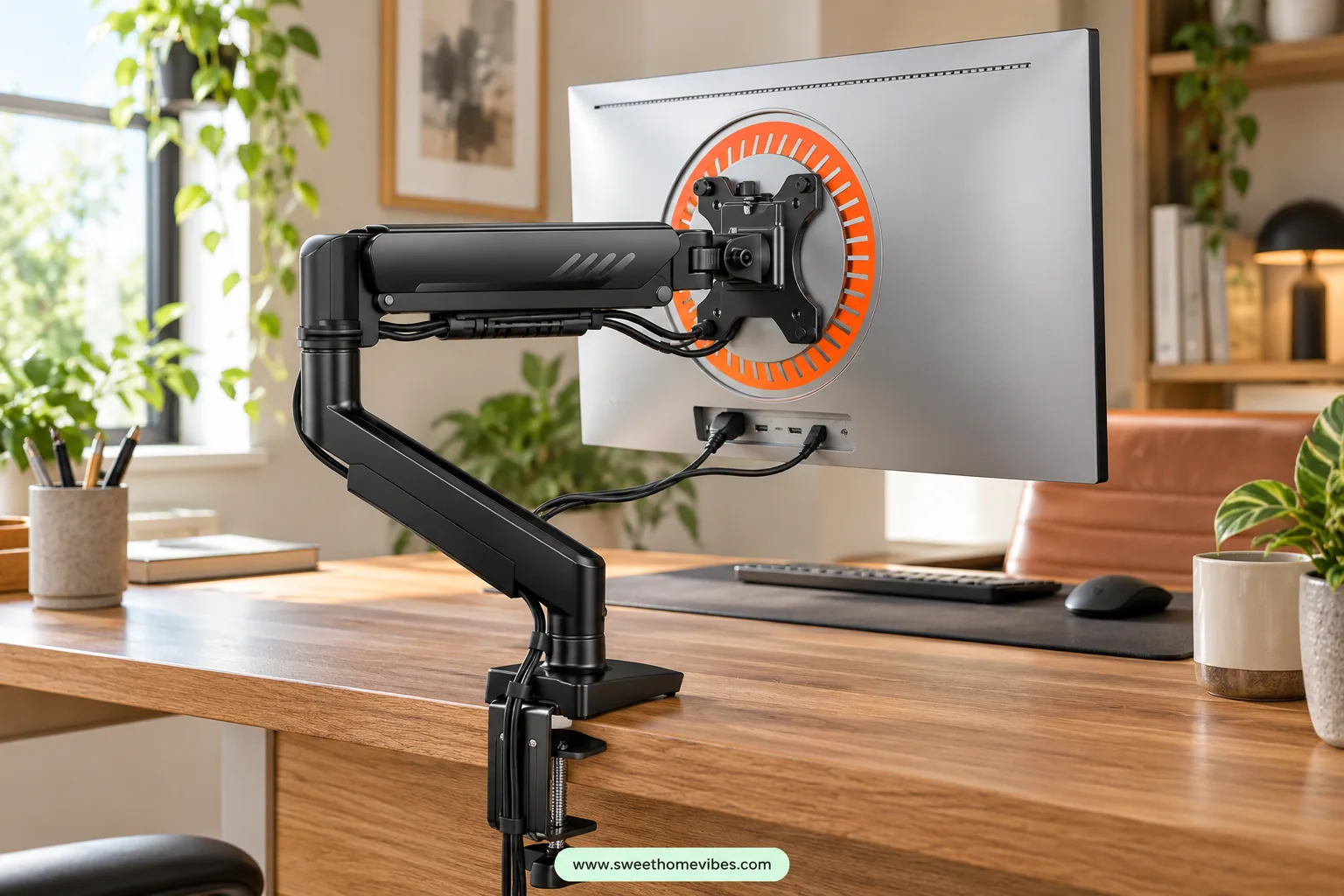
9. Use the Built-In Cable Channels on Your Monitor Arm
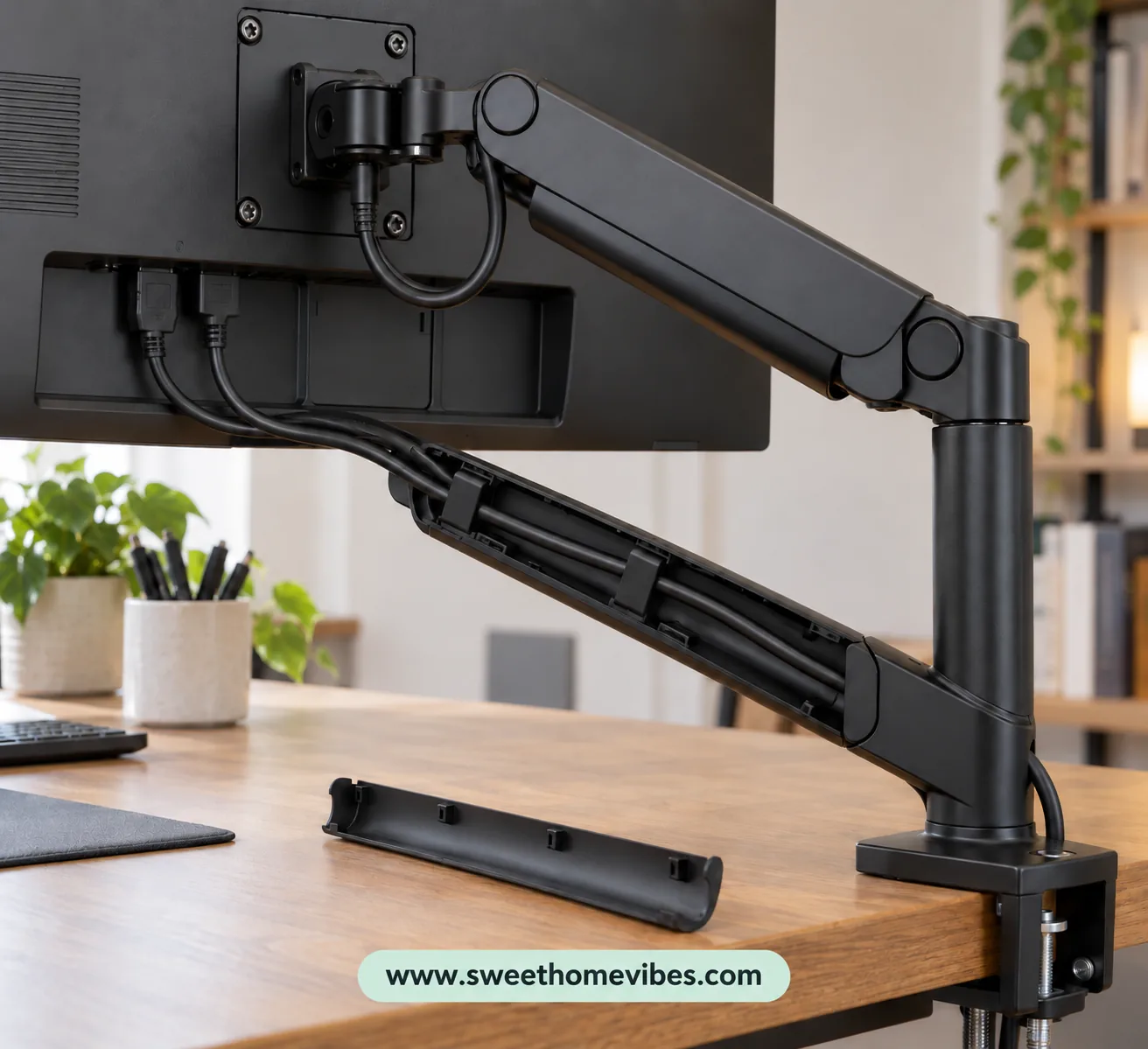
Some monitor arms include clips, removable covers, or channels designed to guide monitor power and display cables. If your existing arm has these features, you may already have a way to conceal several visible wires. Using the built-in channels also avoids attaching separate organizers to the monitor stand.
Check the manufacturer’s instructions to locate the cable channels and understand their capacity. Open the designated covers, arrange the monitor cables inside, and secure them as directed. Avoid forcing thick cables into channels that aren’t designed to accommodate them.
Move your monitor gently through its full adjustment range after arranging the wiring. The cables should have sufficient slack for height changes, rotation, and screen positioning without pulling against their connectors. Purchasing a new monitor arm solely for cable management is rarely necessary when inexpensive organizers could address the problem.
Adjustable Single Monitor Arm
See Product Details
10. Rearrange Your Desk Setup to Hide Cables Naturally

Sometimes the most affordable cable management solution involves changing where your equipment is positioned. A monitor located far from its computer may expose a long display cable that could otherwise remain behind the furniture. Small adjustments to device placement can shorten visible cable routes without requiring additional accessories.
Examine where your monitor, computer, charging station, and other devices connect. Consider positioning equipment nearer to its connection points or moving the desk toward a suitable outlet. Power adapters may be positioned behind furniture when they remain accessible, properly ventilated, and protected from damage.
Gaming desks may require additional consideration because monitors, PCs, and accessories have different connection points. If you’re rearranging a gaming station, the Gaming Desk Setup Planner can help you assess monitor placement and equipment space. Once you’ve decided where everything belongs, arrange the cables behind the desk without stretching their connections.
If a cable is unnecessarily long, consider a shorter replacement that meets the equipment manufacturer’s specifications. Avoid replacing functional cables solely for appearance when repositioning equipment could address the problem. Combining a few suitable methods is generally preferable to purchasing every available accessory.
Which No-Drill Cable Management Method Is Best for Your Desk?
The most suitable method depends on where your cables are visible and the amount of equipment connected to your workspace. A small laptop desk may only require removable clips and reusable ties, whereas a desktop computer with several monitors may benefit from an under-desk tray. Identifying the main source of clutter will help you choose an appropriate solution.
| Cable problem | Fix to try |
|---|---|
| Lots of hanging wires | Clamp-on cable tray |
| A few loose cables | Removable cable clips |
| Long, tangled cords | Reusable cable ties |
| Multiple wires traveling together | Cable management sleeve |
| Visible power strip | Suitable ventilated cable box |
| Desk in the middle of a room | Desk-leg cable routing |
| Charging cords scattered on the desktop | Magnetic cable holder |
| Adjustable standing desk | Cable tray and movement-safe routing |
Desk material, mounting space, cable weight, and budget should influence your decision. Adhesive accessories may not suit delicate wooden finishes, and heavier equipment requires mounting hardware specifically rated for its weight. If you’re uncertain, begin with reusable ties and improved cable placement before purchasing additional organizers.
Common Mistakes to Avoid When Hiding Desk Cables
Concealing wires shouldn’t make electrical connections difficult to inspect or create hazards underneath your furniture. Some cable management mistakes involve unsuitable accessories, whereas others result from positioning cords too close to moving equipment. Check the following issues before finishing your arrangement.
Overloading power strips
Connecting equipment beyond the strip’s electrical rating can cause overheating. Check the manufacturer’s load limits, use appropriate overload protection, and never connect power strips in a chain.
Using weak adhesive for heavy adapters
Lightweight clips aren’t intended to suspend heavy electrical equipment. Choose a mounting system rated for the intended weight.
Pulling cords too tightly
Tension can damage connectors or interfere with monitor movement. Allow appropriate slack and avoid sharp bends.
Blocking ventilation
Electrical equipment can generate heat during use. Follow the manufacturer’s airflow and enclosure instructions.
Routing cables near chair wheels
Rolling chairs may crush or damage exposed cords. Position wiring away from moving furniture and walking areas.
Making connections inaccessible
Hidden wiring still requires occasional inspection. Arrange organizers so plugs and connectors remain accessible.
After completing your cable arrangement, move your chair and adjust your monitor to check for interference. Standing desk users should test the setup at its lowest and highest positions. Any cable that stretches, becomes pinched, or obstructs movement should be repositioned before regular use.
Frequently Asked Questions
How can I hide cables under my desk without drilling holes?
A clamp-on cable tray is useful for collecting hanging wires underneath your desk. Reusable cable ties can organize excess length, and removable clips can guide lightweight cords along the rear edge. Choose a suitable combination according to your desk design and the number of connected devices.
Do adhesive cable clips damage wooden desks?
Adhesive clips can damage certain wooden finishes, depending on the adhesive, surface condition, and removal process. Some products may leave residue or affect delicate coatings even when marketed as removable. Check the manufacturer’s recommendations, test an inconspicuous area, and follow the removal instructions carefully.
What’s the cheapest way to organize desk cables?
Begin by rearranging your existing equipment and gathering loose wires using reusable cable ties. Routing cables behind desk legs or through existing furniture features may also help without additional purchases. Consider a tray or another organizer only when the remaining cables require a dedicated mounting solution.
How do I hide cables under a standing desk?
Choose organizers that accommodate the desk’s movement, such as a compatible clamp-on tray. Allow sufficient cable length between the moving desktop and stationary outlet, avoiding tension near the connectors. Test the arrangement at the desk’s lowest and highest positions, checking for pinching, stretching, and interference with the lifting mechanism.
Can I put a power strip inside a cable management box?
A power strip should only be enclosed when its manufacturer permits that type of installation and the box is suitable for the equipment. Check the ventilation requirements, electrical load, cable openings, and available space before positioning anything inside. Avoid enclosing equipment that requires unrestricted airflow, and make sure all plugs remain accessible.
Enjoy a Cleaner Workspace Without Permanent Changes
Learning how to hide cables under a desk doesn’t require drilling holes, replacing furniture, or purchasing expensive accessories. Identify the most noticeable problem in your setup, choose an appropriate organizer, and arrange the wires so connections remain accessible. A few thoughtful adjustments can create a tidier workspace without permanently changing your desk.
Once your cables are organized, you might want to explore other ways to arrange your workspace. Our 7 Small L-Shaped Desk Setup Ideas for Tight Workspaces article explores desk arrangements for limited spaces, and Cute Desk Setup Ideas for Girls offers inspiration for creating an attractive, organized desk. Both can help you plan the surrounding setup after dealing with the visible wiring.